> ## Documentation Index
> Fetch the complete documentation index at: https://docs.synq.io/llms.txt
> Use this file to discover all available pages before exploring further.
# Creating a data product
### Setting up a new data product
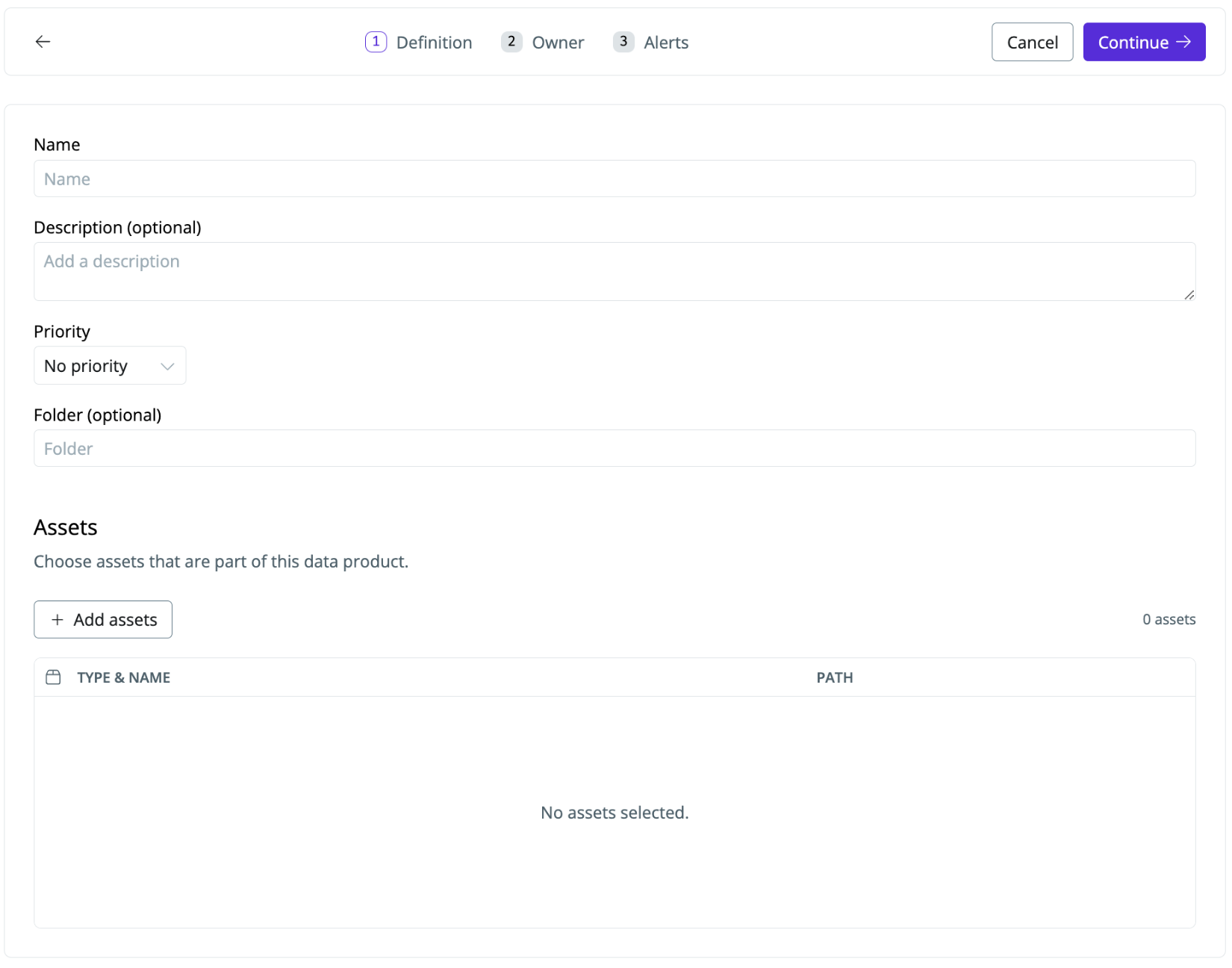
1. Navigate to [Products](https://app.synq.io/products) and click `Create product`
2. Name your data product (e.g., marketing KPIs) and set a priority (i.e., `P-1` for business-critical data)
3. Assign a folder to the data product. This is useful for grouping related data products (optional)
4. Use the `Assets selection` to find relevant assets. Use the browser to select or search for specific assets or annotations to select assets based on code definitions.
 ### Setting ownership of a data product
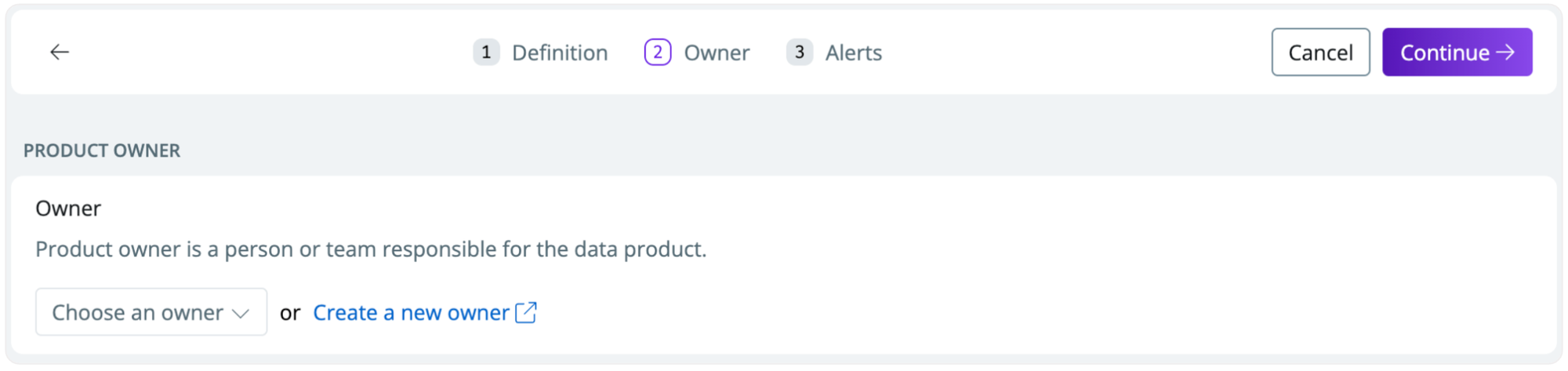
The Data Product owner is a person or team responsible for the data product. Owners can see an overview of everything they are responsible for and understand who the owners of critical data are downstream.
1. `Choose an owner` or `Create a new owner` to assign ownership to the data product. *When you create an owner, you also set how owners are notified of issues (e.g., which Slack channel)*
### Setting ownership of a data product
The Data Product owner is a person or team responsible for the data product. Owners can see an overview of everything they are responsible for and understand who the owners of critical data are downstream.
1. `Choose an owner` or `Create a new owner` to assign ownership to the data product. *When you create an owner, you also set how owners are notified of issues (e.g., which Slack channel)*
 ### Setting alerts on a data product
1. Toggle `Setup alerts` to active alerts for issues on the data product. Owners of the data product are notified based on the Slack or Email settings you’ve defined for the owner (see [Ownership overview](/ownership/ownership-overview))
### Setting alerts on a data product
1. Toggle `Setup alerts` to active alerts for issues on the data product. Owners of the data product are notified based on the Slack or Email settings you’ve defined for the owner (see [Ownership overview](/ownership/ownership-overview))
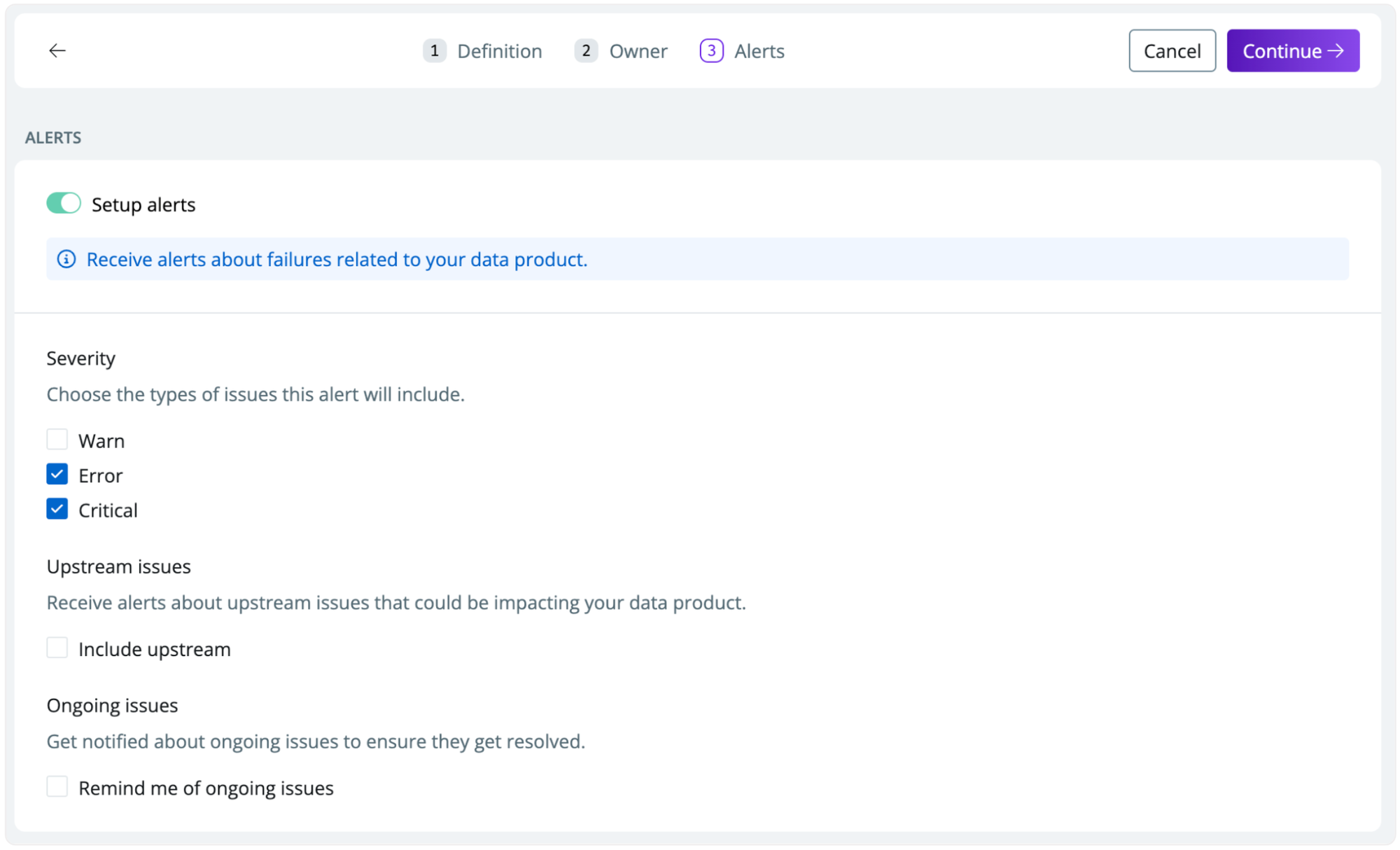 * **Severity**—choose which type of issues alerts will include (e.g., check `warn` to be notified of warn-level test issues from dbt, SQLMesh, or Coalesce Transform)
* **Upstream issues**—check if you want to receive alerts about upstream issues that could be impacting your data product
* **Ongoing issues**—get notified about ongoing issues to ensure they get resolved (will result in more alerts)
* **Severity**—choose which type of issues alerts will include (e.g., check `warn` to be notified of warn-level test issues from dbt, SQLMesh, or Coalesce Transform)
* **Upstream issues**—check if you want to receive alerts about upstream issues that could be impacting your data product
* **Ongoing issues**—get notified about ongoing issues to ensure they get resolved (will result in more alerts)