> ## Documentation Index
> Fetch the complete documentation index at: https://docs.synq.io/llms.txt
> Use this file to discover all available pages before exploring further.
# SQL Tests
SQL tests let you write bespoke tests that fit your business circumstances and can be run on any table tracked in the platform through a unified workflow.
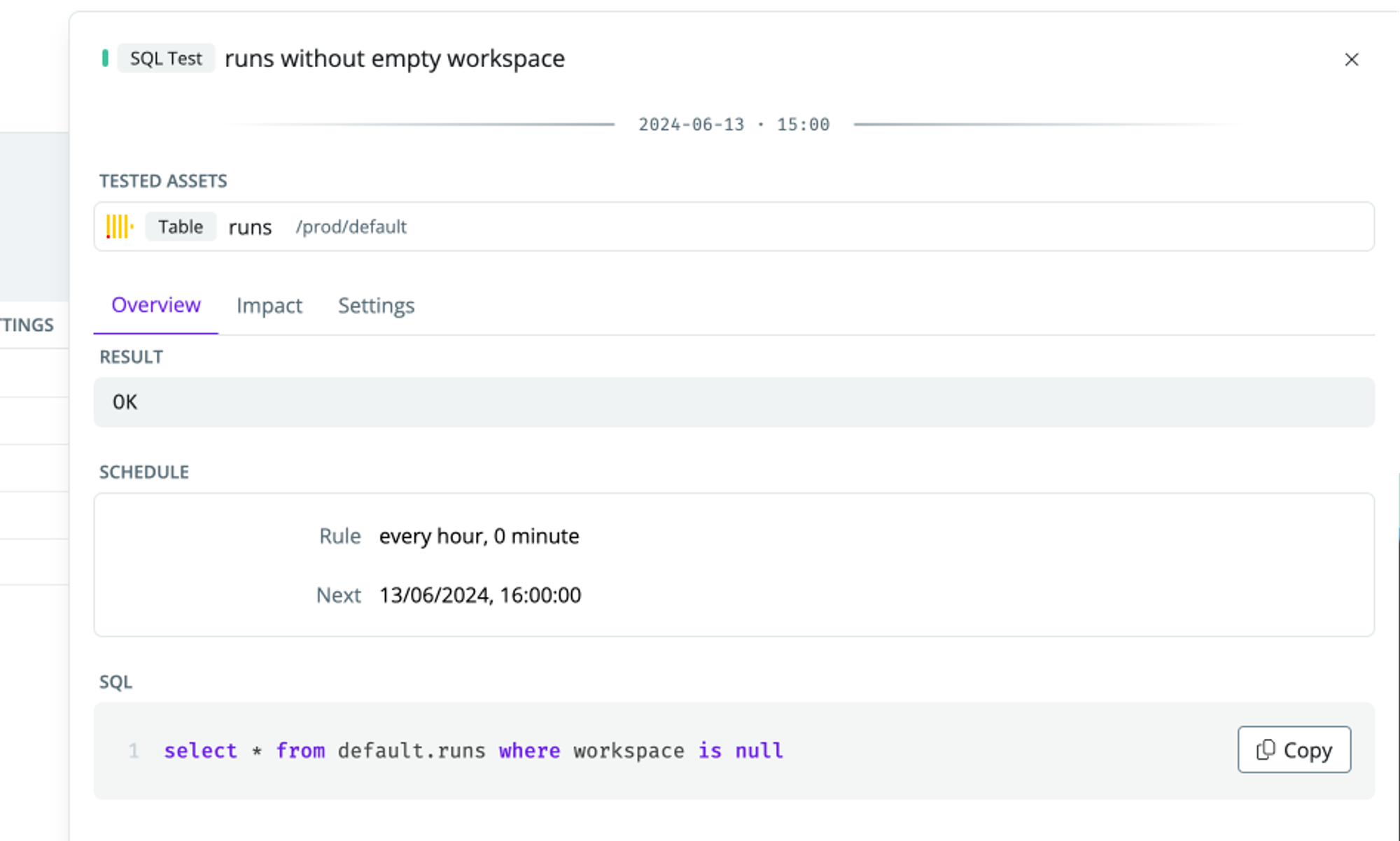 ### Creating a SQL test
* Head to the [Health overview](https://app.synq.io/healthz/overview)
* In the SQL tests section, click [`Add sql test`](https://app.synq.io/healthz/sql-tests/create)
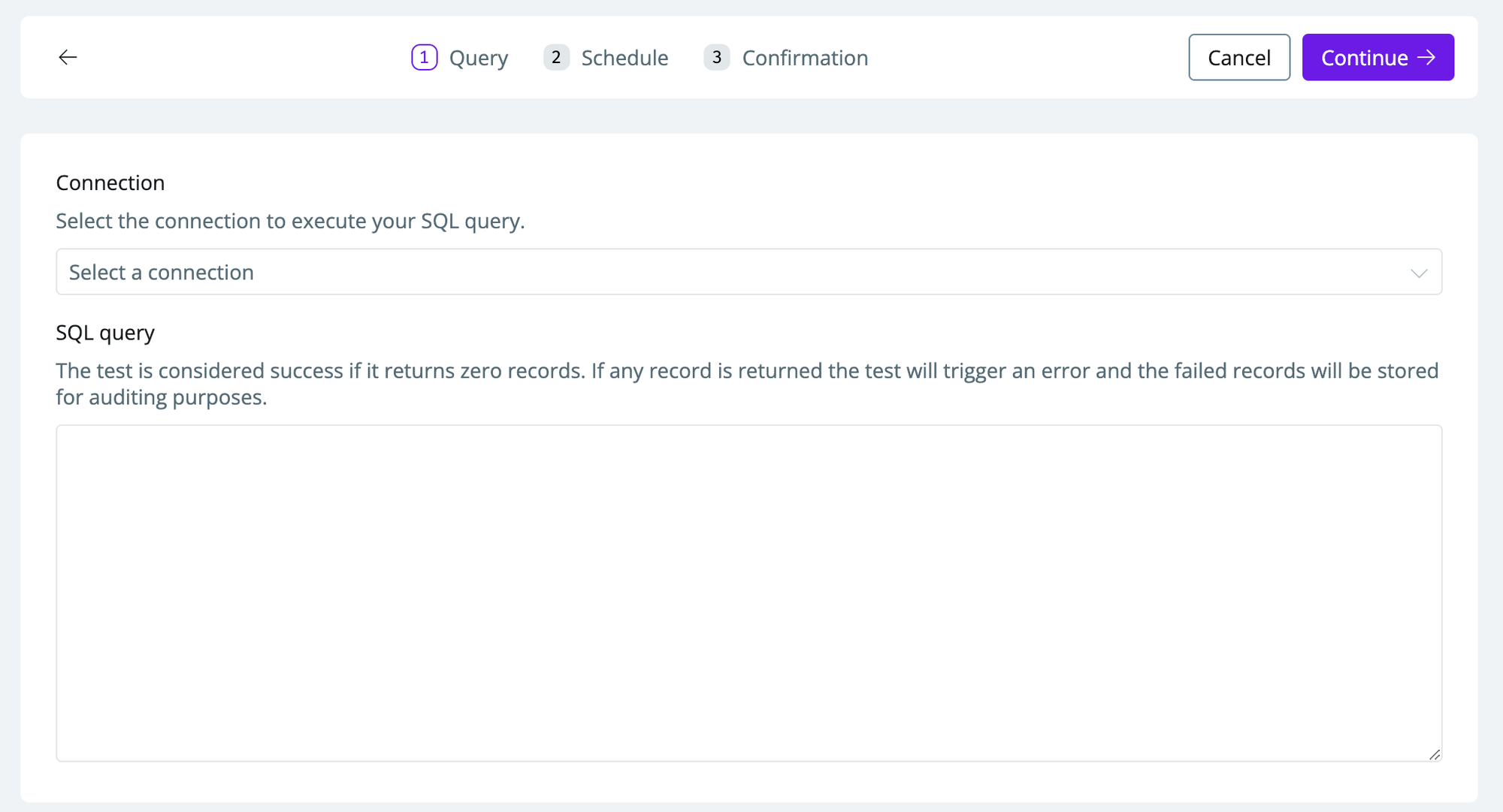
* Select the connection to execute your SQL query
* Specify a SQL query. The test is considered a success if it returns zero records. If any records are returned, the test will trigger an error, and the failed records will be stored in an [audit table](#audit-table-schema) for investigation.
### Creating a SQL test
* Head to the [Health overview](https://app.synq.io/healthz/overview)
* In the SQL tests section, click [`Add sql test`](https://app.synq.io/healthz/sql-tests/create)
* Select the connection to execute your SQL query
* Specify a SQL query. The test is considered a success if it returns zero records. If any records are returned, the test will trigger an error, and the failed records will be stored in an [audit table](#audit-table-schema) for investigation.
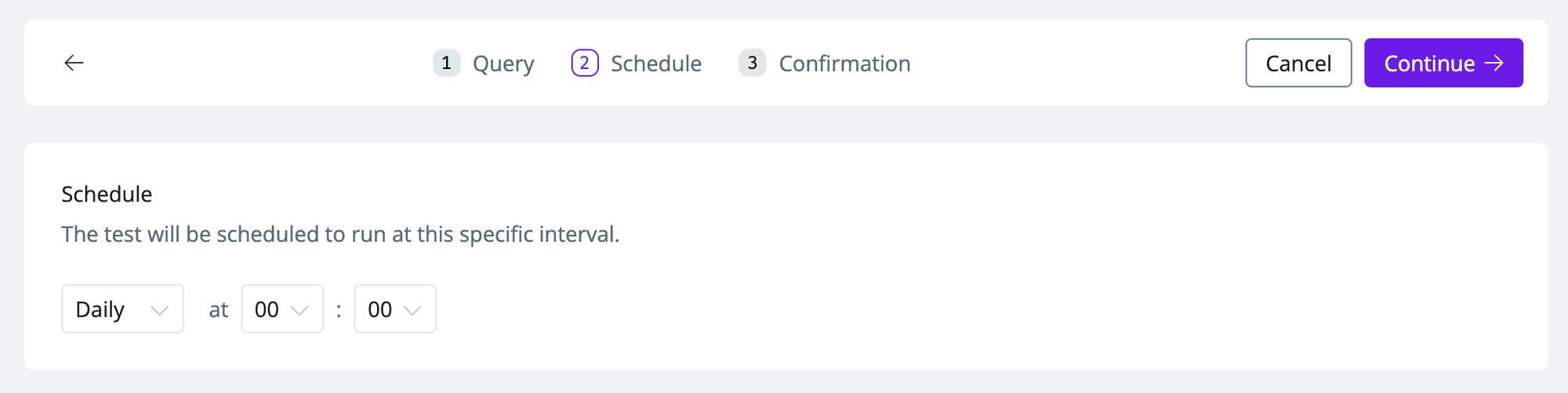
 * Choose a schedule (`hourly/daily`) and a time (`hh: mm`) when you want the test to run.
 Running an excessive amount of tests or running a test too often will impact your data warehouse costs. Avoid running tests more often than needed
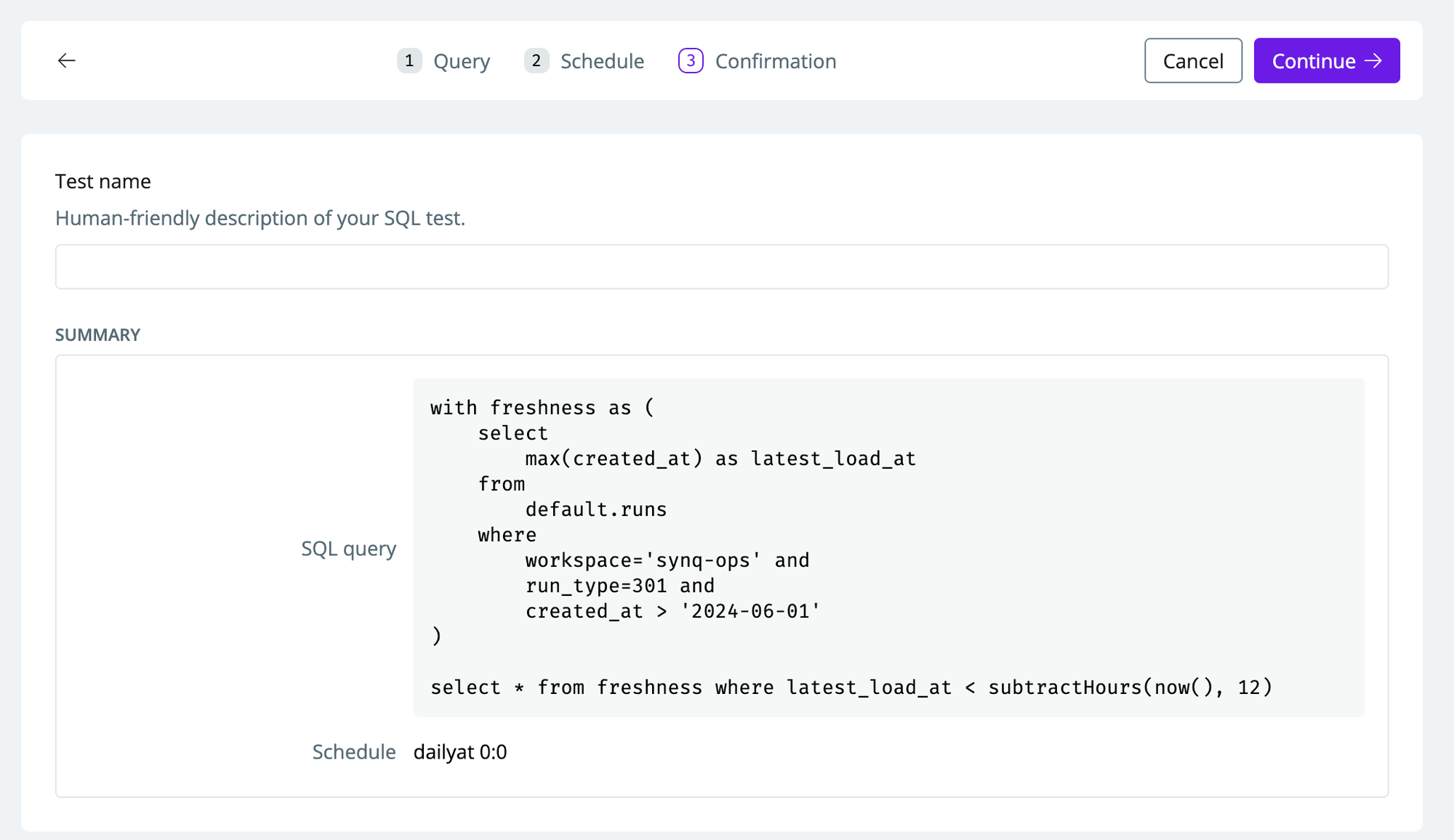
* The confirmation page will show you a summary of the setup. To make it easier to locate in the UI, you can give the test a human-friendly name.
Running an excessive amount of tests or running a test too often will impact your data warehouse costs. Avoid running tests more often than needed
* The confirmation page will show you a summary of the setup. To make it easier to locate in the UI, you can give the test a human-friendly name.
 ### Editing a SQL test
* Head to the [Health overview](https://app.synq.io/healthz/overview)
* Click on [SQL tests](https://app.synq.io/healthz/monitors?filters=%5B%5B%7B%22kind%22%3A%22Type%22%2C%22types%22%3A%5B1421%5D%7D%5D%5D) to see all your SQL tests
* Select the SQL test you want to edit by clicking on it
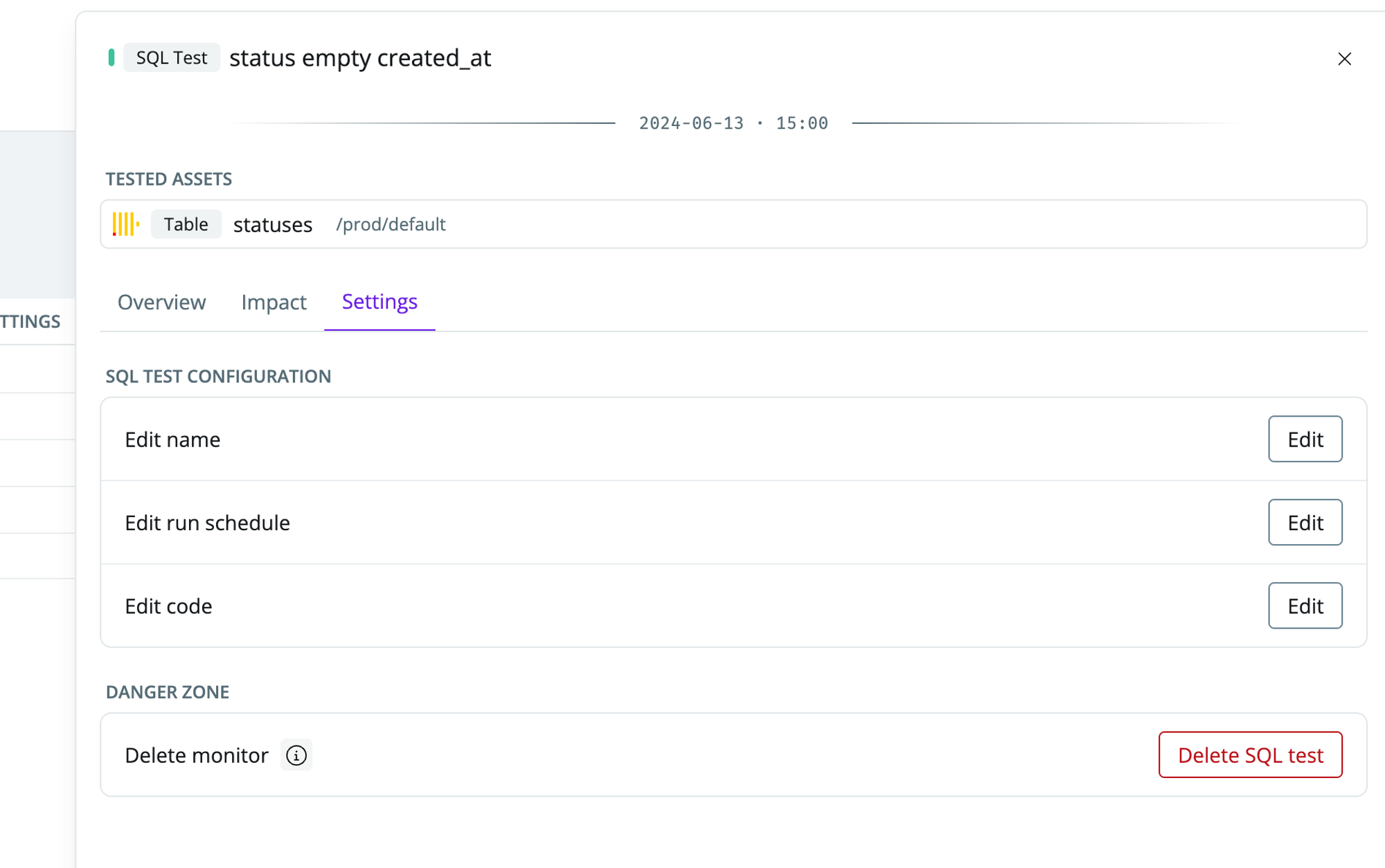
* In the popout, navigate to the `settings` tab. Click `Edit` under SQL test configurations to edit the name, run schedule, or SQL code. To delete the test, click `Delete SQL test`
### Editing a SQL test
* Head to the [Health overview](https://app.synq.io/healthz/overview)
* Click on [SQL tests](https://app.synq.io/healthz/monitors?filters=%5B%5B%7B%22kind%22%3A%22Type%22%2C%22types%22%3A%5B1421%5D%7D%5D%5D) to see all your SQL tests
* Select the SQL test you want to edit by clicking on it
* In the popout, navigate to the `settings` tab. Click `Edit` under SQL test configurations to edit the name, run schedule, or SQL code. To delete the test, click `Delete SQL test`
 ### Audit table schema
When a SQL test fails, the failed records are stored in an audit table in your data warehouse for investigation and troubleshooting. The platform automatically creates this table in your data warehouse when you configure a SQL test with `saveFailures=true`.
#### Default table name
By default, the audit table is named `synq_sql_test__audit`. The table location can be configured per integration.
#### Schema by data warehouse
The audit table schema varies slightly by data warehouse. Below are the CREATE TABLE statements for each supported platform:
```sql theme={null}
CREATE TABLE IF NOT EXISTS synq_sql_test__audit (
integration_id STRING
, sql_test_path STRING
, execution_id STRING
, rows_count INTEGER
, result STRING
, created_at TIMESTAMP
);
```
```sql theme={null}
CREATE TABLE IF NOT EXISTS synq_sql_test__audit (
integration_id STRING
, sql_test_path STRING
, execution_id STRING
, rows_count INTEGER
, result STRING
, created_at TIMESTAMP
);
```
```sql theme={null}
CREATE TABLE IF NOT EXISTS synq_sql_test__audit (
integration_id VARCHAR
, sql_test_path VARCHAR
, execution_id VARCHAR
, rows_count INTEGER
, result VARCHAR
, created_at TIMESTAMP
)
```
```sql theme={null}
CREATE TABLE IF NOT EXISTS "synq_sql_test__audit" (
integration_id TEXT
, sql_test_path TEXT
, execution_id TEXT
, rows_count INTEGER
, result TEXT
, created_at TIMESTAMPTZ
);
```
```sql theme={null}
CREATE TABLE IF NOT EXISTS "synq_sql_test__audit" (
integration_id VARCHAR
, sql_test_path VARCHAR
, execution_id VARCHAR
, rows_count INTEGER
, result VARCHAR
, created_at TIMESTAMP
);
```
```sql theme={null}
CREATE TABLE IF NOT EXISTS synq_sql_test__audit (
integration_id String
, sql_test_path String
, execution_id String
, rows_count Int32
, result String
, created_at DateTime64(8, 'UTC')
) Engine = MergeTree()
ORDER BY (integration_id, sql_test_path, execution_id, created_at)
;
```
#### Column descriptions
| Column | Description |
| ---------------- | --------------------------------------------------- |
| `integration_id` | Unique identifier of the data warehouse integration |
| `sql_test_path` | Path or identifier of the SQL test |
| `execution_id` | Unique identifier for each test execution |
| `rows_count` | Number of rows that failed the test |
| `result` | The failed records in JSON format |
| `created_at` | Timestamp when the audit record was created |
The audit table is created automatically when you run your first SQL test. Ensure the platform has the necessary permissions to create tables in your configured schema or database.
### Audit table schema
When a SQL test fails, the failed records are stored in an audit table in your data warehouse for investigation and troubleshooting. The platform automatically creates this table in your data warehouse when you configure a SQL test with `saveFailures=true`.
#### Default table name
By default, the audit table is named `synq_sql_test__audit`. The table location can be configured per integration.
#### Schema by data warehouse
The audit table schema varies slightly by data warehouse. Below are the CREATE TABLE statements for each supported platform:
```sql theme={null}
CREATE TABLE IF NOT EXISTS synq_sql_test__audit (
integration_id STRING
, sql_test_path STRING
, execution_id STRING
, rows_count INTEGER
, result STRING
, created_at TIMESTAMP
);
```
```sql theme={null}
CREATE TABLE IF NOT EXISTS synq_sql_test__audit (
integration_id STRING
, sql_test_path STRING
, execution_id STRING
, rows_count INTEGER
, result STRING
, created_at TIMESTAMP
);
```
```sql theme={null}
CREATE TABLE IF NOT EXISTS synq_sql_test__audit (
integration_id VARCHAR
, sql_test_path VARCHAR
, execution_id VARCHAR
, rows_count INTEGER
, result VARCHAR
, created_at TIMESTAMP
)
```
```sql theme={null}
CREATE TABLE IF NOT EXISTS "synq_sql_test__audit" (
integration_id TEXT
, sql_test_path TEXT
, execution_id TEXT
, rows_count INTEGER
, result TEXT
, created_at TIMESTAMPTZ
);
```
```sql theme={null}
CREATE TABLE IF NOT EXISTS "synq_sql_test__audit" (
integration_id VARCHAR
, sql_test_path VARCHAR
, execution_id VARCHAR
, rows_count INTEGER
, result VARCHAR
, created_at TIMESTAMP
);
```
```sql theme={null}
CREATE TABLE IF NOT EXISTS synq_sql_test__audit (
integration_id String
, sql_test_path String
, execution_id String
, rows_count Int32
, result String
, created_at DateTime64(8, 'UTC')
) Engine = MergeTree()
ORDER BY (integration_id, sql_test_path, execution_id, created_at)
;
```
#### Column descriptions
| Column | Description |
| ---------------- | --------------------------------------------------- |
| `integration_id` | Unique identifier of the data warehouse integration |
| `sql_test_path` | Path or identifier of the SQL test |
| `execution_id` | Unique identifier for each test execution |
| `rows_count` | Number of rows that failed the test |
| `result` | The failed records in JSON format |
| `created_at` | Timestamp when the audit record was created |
The audit table is created automatically when you run your first SQL test. Ensure the platform has the necessary permissions to create tables in your configured schema or database.